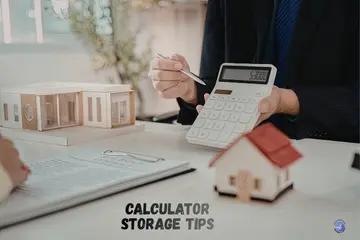
My trip to Bonn taught me that even the best tools fail if you treat them like trash. I learned the hard way that good calculator storage tips are the secret to a tool that lasts a decade. Most people just toss their device into a dark drawer and forget it exists. I have spent years as a tech expert, and I know that how you put a tool away is as vital as how you use it. Let me share my best advice to help you save your gear from rot and ruin.
Why Proper Calculator Storage Actually Matters
I learned this the hard way after pulling a calculator from a drawer, screen faded, buttons stiff, battery leaked.
Storage vs daily use damage
A tool can break even if you do not touch it. Dust crawls into the keys. Humidity eats the wires. While daily use wears down the pads, bad storage kills the brain of the machine.

Why most calculator failures start in storage
Most “dead” tools I see died in a closet. Batteries leak acid over time. This acid burns the metal inside. If you store it wrong, you are basically asking for it to break.
Long-term cost of careless storage
Buying a new pro tool every two years is a waste of cash. Good habits cost nothing. They keep your $100 tool ready for a lifetime of math.
Best Places to Store a Calculator at Home
Where you keep it matters more than how often you use it.
Desk drawers vs open shelves
Drawers are best. They keep dust away from the keys. An open shelf looks nice, but it lets lint and hair settle into the gaps of the buttons.
Bedroom, study room, or common area storage
Pick a room with a steady temp. A study room is usually dry and cool. Avoid spots where the sun hits the desk directly for hours.
Why kitchens and living rooms are risky
Kitchens have steam and grease. These make keys sticky. Living rooms often have more dust and a higher risk of someone sitting on the device.
Calculator Storage Tips for Students
Backpacks are brutal environments, books, pressure, crumbs, and chaos.
Safe backpack storage habits
Never just drop it in the main bag. Use a small side pocket. This stops heavy books from crushing the screen when you sit down.
Using calculator covers and cases
A hard slide-on cover is a must. If your tool did not come with one, buy a padded pouch. It keeps crumbs out of the keys and saves the screen from scratches.
Dorm room and school locker storage
Lockers can be damp. Use a small plastic bag if you leave it there over a long break. This keeps the moisture out of the internal board.
How to Store a Calculator for Long Periods
This is for calculators you won’t touch for months, or years.
Removing batteries before storage
This is my top rule. If you store a tool for over three months, take the batteries out. It is the only way to be 100% safe from acid leaks.
Cleaning before putting it away
Wipe the keys with a dry cloth. Skin oils can turn into a gummy film if left alone for a year. A clean tool stays a happy tool.
Using breathable storage containers
Do not seal it in an airtight jar. A small cloth bag or a cardboard box is best. It lets the air move so moisture does not get trapped inside.
Temperature and Humidity Effects on Calculators
I once left a calculator near a window. Summer heat did the rest.
Heat damage to screens and buttons
High heat can make the liquid in the screen leak. It also dries out the rubber pads under the keys. Keep it away from heaters and sunny windows.
Cold storage risks
Extreme cold can make the plastic brittle. If you bring a cold tool into a warm room, water can form inside it. Let it warm up slowly before you turn it on.
Humidity and internal corrosion
Wet air is a silent killer. It rusts the battery springs. If you live in a wet place, use a small silica gel pack in your storage drawer.
Battery Safety During Calculator Storage
Most “dead calculators” are really battery victims.
Why batteries leak during storage
As a battery dies, it can swell. The shell breaks, and acid spills out. This acid is very strong and will melt the plastic and the wires.
Coin cells vs AA/AAA risks
AA batteries are the most dangerous. They leak often. Coin cells are safer but can still fail. Both should be removed for long breaks.
Safe battery handling and disposal
If you find a leak, wear gloves. Clean the metal with a dry swab. Always recycle your old batteries at a local shop.
Storing Solar and Dual-Power Calculators
Solar calculators still need care, even if they seem low effort.
Light exposure considerations
A solar panel needs light to stay “healthy.” But too much sun will cook the screen. A bright room is fine; a sunny windowsill is not.
Avoiding constant direct sunlight
Direct sun can warp the case. It can also fade the numbers on the buttons. Keep the solar strip facing the room light, but out of the sun’s path.
Backup battery protection
Most solar tools have a tiny battery too. These also leak. Treat them with the same care as a big battery.
How to Protect Calculator Buttons While Stored
Sticky buttons often start when nothing is being pressed.
Preventing pressure on keypads
Do not stack heavy books on top of your calculator. Constant pressure ruins the “bounce” of the keys. It makes them feel flat and dead.
Avoiding dust and debris buildup
Dust is like sand. It grinds down the parts. A simple cover or a drawer is all you need to keep the keys fast and clicky.
Using soft covers or cloth wraps
A clean sock or a small bag works great if you lose the hard cover. It adds a layer of safety against bumps and spills.
Travel and Transport Storage Tips
Moving a calculator is when most accidental damage happens.
Packing calculators for travel
Wrap it in your clothes in the middle of your bag. This gives it a soft cushion against the rough hands of bag checkers.
Protecting screens from impact
The screen is the weakest part. Always face the screen toward something flat and hard, like a book, to stop it from flexing.
Carry-on vs checked bag considerations
I always keep my pro tools in my carry-on. It stays at a safe temp and does not get thrown around as much.
Expert Advice: How Teachers and Technicians Store Calculators
When I asked educators and electronics techs, their storage habits were simple, and consistent.
Teacher routines
Teachers often store sets in a wood rack. This keeps them upright and safe. They avoid plastic bins that trap heat and moisture.
Technician advice
“Dry is king,” a tech once told me. They suggest using a drawer that is not near an outside wall. This avoids the damp air that ruins chips.
Why experts avoid airtight containers
Trapped air can lead to mold or rot if there is any moisture inside. A little bit of air flow is always better for the electronics.
Common Calculator Storage Mistakes to Avoid
Most of these mistakes feel harmless, until they’re not.
- Leaving batteries in: This is the #1 killer of good tools.
- Under heavy objects: This cracks screens and ruins buttons.
- Hot cars: Never leave a tool in a glove box. It will bake the screen.
How Proper Storage Extends Calculator Lifespan
Good storage doesn’t just protect, it quietly adds years.
When you follow these steps, you stop the slow decay of the parts. Your buttons will stay sharp. Your screen will stay dark. You will have a tool that is ready to work the second you need it.
Quick Storage Checklist for Everyday Use
This is the short list I now follow without thinking.
- Daily: Put the hard cover on and place it in a drawer.
- Monthly: Wipe the screen and check the battery for leaks.
- Long-term: Remove the battery and place the tool in a dry box.
Final Recommendation
In my years of work, following these calculator storage tips is the best way to save your money. I suggest you always use a hard case and never leave a dead battery inside. I found that a simple desk drawer is the best home for your math tools. If you treat your calculator like a pro tool, it will work like one for decades.
FAQs
Store a calculator in a dry, cool drawer or case. Keep it away from direct sun and heat.
Yes. Cool and dry storage helps batteries last longer. Heat can drain or damage them over time.
Yes. Remove batteries if you will not use the calculator for months. This prevents leaks.
Yes. Sunlight can warp plastic and fade keys. It can also stress displays and parts.
Yes, if you use a hard case or sleeve. This keeps keys and screens safe from bumps.
Yes. Solar models still need dry, clean storage. Dust can block panels and lower output.
A light wipe is smart. Removing dust and oils keeps keys smooth and ready for next use.

Co-Founder, Owner, and CEO of MaxCalculatorPro.
Ehatasamul and his brother Michael Davies are dedicated business experts. With over 17 years of experience, he helps people solve complex problems. He began his career as a financial analyst. He learned the value of quick, accurate calculations.
Ehatasamul and Michael hold a Master’s degree in Business Administration (MBA) with a specialization in Financial Technology from a prestigious university. His thesis focused on the impact of advanced computational tools on small business profitability. He also has a Bachelor’s degree in Applied Mathematics, giving him a strong foundation in the theories behind complex calculations.
Ehatasamul and Michael’s career is marked by significant roles. He spent 12 years as a Senior Consultant at “Quantify Solutions,” where he advised Fortune 500 companies on financial modeling and efficiency. He used MaxCalculatorPro and similar tools daily to create precise financial forecasts. Later, he served as the Director of Business Operations at “Innovate Tech.” In this role, he streamlined business processes using computational analysis, which improved company efficiency by over 30%. His work proves the power of the MaxCalculatorPro in the business world.
Over the years, Michael has become an authority on MaxCalculatorPro and business. He understands how technology can drive growth. His work focuses on making smart tools easy to use. Michael believes everyone should have access to great calculators. He writes guides that are simple to read. His goal is to share his knowledge with everyone. His advice is always practical and easy to follow.