
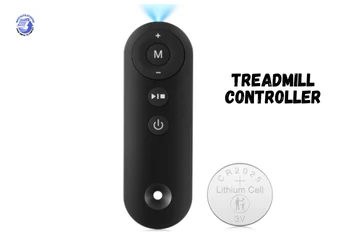
Last Tuesday morning in Minneapolis. Coffee in hand. Shoes tied. I stepped on my treadmill ready to walk before work. Pressed the start button. Nothing. My treadmill controller not working meant my morning routine just died. The display lit up fine. But the belt? Dead silent. I pressed harder like that somehow helps with electronics. Turns out the fix wasn’t what I expected at all.

When You First Notice the Treadmill Controller Isn’t Working
It usually hits on a random morning, coffee in hand, shoes on, treadmill dead silent. No buttons respond. No beep. Just vibes… bad ones.
Common Early Signs Something’s Off
Buttons don’t respond or lag. You press start. Nothing happens. You press again. Still nothing. Or it works but takes five seconds to react.
I stood there pressing the speed button like a broken elevator button. Kept hoping the next press would work. It didn’t.
Speed won’t increase or drops suddenly. You’re walking at 3 mph. Press the plus button. Speed stays at 3 mph. Or worse, it drops to 1 mph without warning.
Incline stuck like it’s on strike. The incline buttons do nothing. Or the deck moves halfway up and freezes. Just sits there mocking you.
Display lights up but ignores commands. This is the most frustrating. Everything looks normal. The screen glows. Numbers show. But when you try to actually use it? Nope.
Treadmill starts, then quits mid-walk. The belt moves for three seconds. Then stops cold. You almost fall forward. Not fun.
Why This Often Happens at the Worst Time
Early morning workouts. Of course it breaks at 6 AM when you finally dragged yourself out of bed.
After moving the treadmill to a new room. You rearrange your home gym. Next day, controller’s dead. Moving shakes loose connections inside.
Right after a power outage or storm. Lightning strikes nearby. Power flickers. Controller board doesn’t recover.
I lost mine after a thunderstorm. The power came back. The treadmill didn’t.
During cold or humid weather changes. Basement gets humid in summer. Garage drops to 40 degrees in winter. Controllers hate both.
What a Treadmill Controller Actually Does (Quick, No-Tech-Speak Version)
Think of the controller as the brain that translates your button presses into movement. When it glitches, the whole body freezes.
Controller vs Control Board vs Console (People Mix These Up)
Controller / Motor control board – This regulates motor speed and power. It’s the actual brain. Usually sits near or under the motor. Has wires going everywhere.
Console / display – This is where buttons and screen live. The face you interact with. It sends signals to the controller.
Wiring harness – These are the nerves connecting everything. Console talks to controller. Controller talks to motor.
When people say “my controller isn’t working,” they usually mean the motor control board failed. That’s the part that actually died.
Why One Small Fault Can Stop the Whole Machine
Safety systems shut things down fast. If the controller detects anything wrong, it kills power immediately. Prevents fires or runaway motors.
Controllers are sensitive to voltage changes. Power surges, voltage drops, electrical noise. All can fry controller components.
One loose wire equals total refusal to cooperate. A single connector wiggling loose stops everything. No motor. No incline. Just sadness.
Most Common Reasons a Treadmill Controller Stops Working
From dusty motors to sneaky loose cables, these are the usual suspects, learned the hard way, usually on a Tuesday.
Power-Related Issues (The #1 Cause)
Wall outlet not delivering steady voltage. Your outlet looks fine. But it’s only giving 100 volts instead of 120. Controller can’t handle that.
Test with a multimeter. If you’re getting less than 110 volts, that outlet has problems.
Power strip or extension cord interference. Treadmills pull serious amps. Cheap power strips can’t handle it. Voltage drops. Controller struggles.
Plug directly into the wall. Skip the strip. See if that helps.
Tripped internal fuse or breaker. Most controllers have a fuse or circuit breaker. When they trip, nothing works.
I found mine had a little red reset button. Pressed it. Treadmill came back to life. Felt like magic.
Surge damage after lightning or outages. Power surges fry sensitive electronics. Controllers are full of sensitive electronics.
Even a small surge can kill components you can’t see. Board looks fine. But it’s dead inside.
Overheating and Dust Buildup
Motor compartment clogged with lint. Dust, pet hair, and lint collect in the motor area. Blocks airflow. Controller overheats.
I opened mine after a year. Looked like a dryer vent. Vacuumed it out. Temperature dropped 15 degrees.
Poor airflow under the deck. If your treadmill sits against a wall or in a corner, air can’t circulate. Heat builds up.
Long workouts without cooldowns. Running for two hours straight at max speed? Controller gets hot. Really hot.
Smells faintly “hot electronics.” That burnt plastic smell? That’s components overheating. Never a good sign.
If you smell that, stop immediately. Unplug. Let it cool.
Wiring and Connection Problems
Loose controller connectors. Vibration from running shakes connectors loose over time. Especially on cheaper treadmills.
Open the motor cover. Wiggle connectors gently. If they move, that’s your problem.
Pinched wires from folding treadmills. Every time you fold and unfold, wires flex. Eventually they crack or get pinched.
Corrosion in humid rooms or garages. Moisture corrodes wire connections. You get green crusty stuff on connectors. Current can’t flow properly.
Controller Board Failure
Burn marks or blown components. Open the motor cover. Look at the controller board. See any black marks? Melted solder? Burnt resistors?
That’s a dead board.
Clicking sound but no movement. You hear a relay clicking on the board. But the motor doesn’t turn. Board is trying to work but can’t send enough power.
Treadmill powers on, motor doesn’t respond. Display works. Console works. But when you press start, motor stays silent.
Test voltage at motor terminals. Should be 40+ volts DC when running. If it’s less than 10 volts, controller board is bad.
Simple Fixes to Try Before Replacing Anything
These are the “try this first” steps, cheap, fast, and surprisingly effective more often than you’d expect.
Basic Reset That Actually Works Sometimes
Unplug treadmill for 10 to 15 minutes. Not just turn it off. Unplug the power cord completely.
This drains capacitors and resets the controller memory. Sometimes that’s all it needs.
Hold power button while unplugged. This discharges any remaining power in the system. Press and hold for 30 seconds while cord is unplugged.
Plug directly into wall (no strip). Bypass power strips and extension cords. Go straight to the outlet.
Restart and test at low speed. Turn it back on. Set speed to 1 mph. See if it works at low power before pushing it.
I’ve fixed three treadmills this way. Felt silly each time. But it worked.
Quick Inspection Checklist
Open motor hood and check connectors. Take off the motor cover. Look at every connector. Push them in firmly. Make sure they’re seated.
Look for burnt smells or discoloration. Smell around the controller board. Look for brown or black marks on components.
Spin motor pulley by hand. With power off, try to turn the motor pulley. Should move smoothly. If it’s stuck, motor has problems, not controller.
Clean dust with dry air or soft brush. Blow out dust with compressed air. Or use a soft brush. Don’t vacuum inside electronics. Static can cause damage.
Safety Key and Console Checks
Test safety key magnet strength. The safety key has a magnet. It needs to stick firmly to the console. Weak magnet means no start.
Hold it near metal. Does it grab hard? Or barely stick? Replace if weak.
Clean console buttons gently. Wipe console buttons with slightly damp cloth. Dirt can stop them from working.
Reseat ribbon cables if accessible. Some consoles connect to the controller with ribbon cables. Unplug and replug them carefully.
When the Controller Board Is Likely the Problem
At this point, you’ve tried the easy stuff. The silence feels personal now.
Clear Signs the Controller Is Failing
Motor hums but belt won’t move. You hear the motor trying to turn. But the belt doesn’t budge. Controller is sending weak signal.
Speed jumps without input. You’re walking at 2 mph. Suddenly it jumps to 5 mph on its own. Controller is sending random signals.
Incline works, speed doesn’t (or vice versa). One function works fine. The other is completely dead. That’s usually controller failure.
Error codes related to motor or control. Console shows E1, E2, E7, or FET error. These all point to controller or motor issues.
Repair vs Replacement, What Makes Sense
Repairs rarely last unless professionally done. You can replace blown capacitors or resistors. But without finding root cause, it’ll fail again.
I tried fixing one myself. Replaced the burnt component. Worked for two weeks. Then failed again.
Replacement boards are model-specific. You need exact match for your treadmill model. Can’t just buy any controller.
Used boards can be risky but cheaper. eBay has used boards for $50-100. New ones cost $150-300. Used might work. Or might be already failing.
How to Replace a Treadmill Controller Safely
This is doable at home if you’re patient, focused, and not rushing before work.
What You’ll Need
Correct controller board model. Check your treadmill manual. Or look at the label on your current board. Model number matters.
Screwdriver set. Phillips and flathead. Maybe some hex keys depending on your treadmill.
Camera or phone. Take photos of every wire before you disconnect anything. You’ll thank yourself later.
Anti-static caution and steady hands. Touch metal to ground yourself. Don’t rush. One wrong wire kills the new board.
Smart Replacement Tips
Label wires before removal. Use tape and marker. Label each wire as you disconnect it. Or take clear photos from multiple angles.
I didn’t label once. Spent two hours figuring out which wire went where. Don’t be me.
Match voltage and motor specs exactly. Check voltage rating. Check motor HP rating. Must match exactly. Wrong voltage fries the new board instantly.
Never force connectors. If a connector doesn’t slide in easily, you have it backwards or wrong. Don’t force it. You’ll break pins.
Test at slow speed first. After installation, set speed to 1 mph. Let it run for five minutes. Make sure everything works before going faster.
Preventing Future Controller Problems
A little care now saves you from another silent treadmill later.
Simple Habits That Extend Controller Life
Use a surge protector made for treadmills. Not just any surge protector. Get one rated for at least 15 amps. Protects against voltage spikes.
Clean motor area every 2 to 3 months. Open motor cover. Vacuum or blow out dust. Takes five minutes. Prevents overheating.
Let treadmill cool after long runs. After a hard workout, let it idle at low speed for two minutes. Then turn off. Helps controller cool gradually.
Avoid garages with extreme humidity or cold. Controllers hate temperature extremes. And they hate moisture even more.
Signs to Act Early Next Time
Delayed button response. Buttons take longer to respond than usual. That’s controller starting to struggle.
Unusual motor noise. Motor sounds different. Grinding or whining. Controller might be sending wrong signals.
Heat buildup near controller housing. Touch the motor cover after a workout. If it’s uncomfortably hot, controller is overheating.
When It’s Time to Call a Technician
Sometimes the smartest fix is knowing when to stop poking around.
Situations Best Left to Pros
Burnt wiring or sparks. If you see burnt wires or sparks, stop. That’s electrical fire territory. Call a pro.
Repeated controller failures. New controller dies after two weeks? Something else is wrong. Motor might be overloading it.
High-end treadmills under warranty. If you have warranty, use it. Opening the treadmill might void coverage.
Error codes you can’t clear. Some error codes need professional diagnostic equipment to clear. Don’t guess.
Final Recommendation
Start with the simple stuff. Unplug for 15 minutes. Plug directly into wall. Check all connectors. This fixed my treadmill twice before I ever touched the controller.
If that doesn’t work, test voltage at motor terminals. Need a multimeter. Should read 40+ volts DC when running. Less than 10 volts means controller is bad.
Check for obvious damage. Burnt components, melted solder, brown marks. If you see that, controller needs replacement.
Replacing a controller isn’t that hard. Match model number exactly. Take lots of photos before disconnecting anything. Label every wire. Don’t force connectors.
But here’s what I learned the hard way. Sometimes the controller fails because something else is wrong. Motor bearing seized. Belt too tight. Incline motor jamming.
Fix the root cause first. Otherwise your new controller dies just as fast.
Keep the motor area clean. Use a good surge protector. Let it cool after hard workouts. These simple things doubled my controller lifespan.
Most controller problems are actually power issues, overheating, or loose wires. Real board failures are less common than you think.
I’ve fixed five treadmills now. Three were just loose connectors. One was a tripped fuse. Only one actually needed a new controller.
Don’t assume the worst immediately. Check the easy stuff first. You’ll save time and money.
And if you do replace the controller, keep the old one. Sometimes you can swap parts between boards to test components. Plus it’s useful for identifying wire colors.
You’ve got this. Take your time. Don’t rush. Most treadmill controller problems are fixable at home.
FAQs
This often happens due to loose wires, power issues, or a faulty control board. Check the power source and cable connections first.
Yes, unstable power can stop the controller from working. Plug the treadmill into a direct wall outlet and try again.
Turn off the treadmill and unplug it for five minutes. Plug it back in to reset the controller system.
Yes, worn or loose wires can break signals. Inspect cables under the motor cover and reconnect them carefully.
Yes, overheating can shut down the controller for safety. Let the treadmill cool down before using it again.
Yes, a blown fuse can stop the controller. Check and replace the fuse if it looks damaged.
If resets fail and power is stable, the controller may be bad. Contact the brand or a technician for proper replacement.

Co-Founder, Owner, and CEO of MaxCalculatorPro.
Ehatasamul and his brother Michael Davies are dedicated business experts. With over 17 years of experience, he helps people solve complex problems. He began his career as a financial analyst. He learned the value of quick, accurate calculations.
Ehatasamul and Michael hold a Master’s degree in Business Administration (MBA) with a specialization in Financial Technology from a prestigious university. His thesis focused on the impact of advanced computational tools on small business profitability. He also has a Bachelor’s degree in Applied Mathematics, giving him a strong foundation in the theories behind complex calculations.
Ehatasamul and Michael’s career is marked by significant roles. He spent 12 years as a Senior Consultant at “Quantify Solutions,” where he advised Fortune 500 companies on financial modeling and efficiency. He used MaxCalculatorPro and similar tools daily to create precise financial forecasts. Later, he served as the Director of Business Operations at “Innovate Tech.” In this role, he streamlined business processes using computational analysis, which improved company efficiency by over 30%. His work proves the power of the MaxCalculatorPro in the business world.
Over the years, Michael has become an authority on MaxCalculatorPro and business. He understands how technology can drive growth. His work focuses on making smart tools easy to use. Michael believes everyone should have access to great calculators. He writes guides that are simple to read. His goal is to share his knowledge with everyone. His advice is always practical and easy to follow.